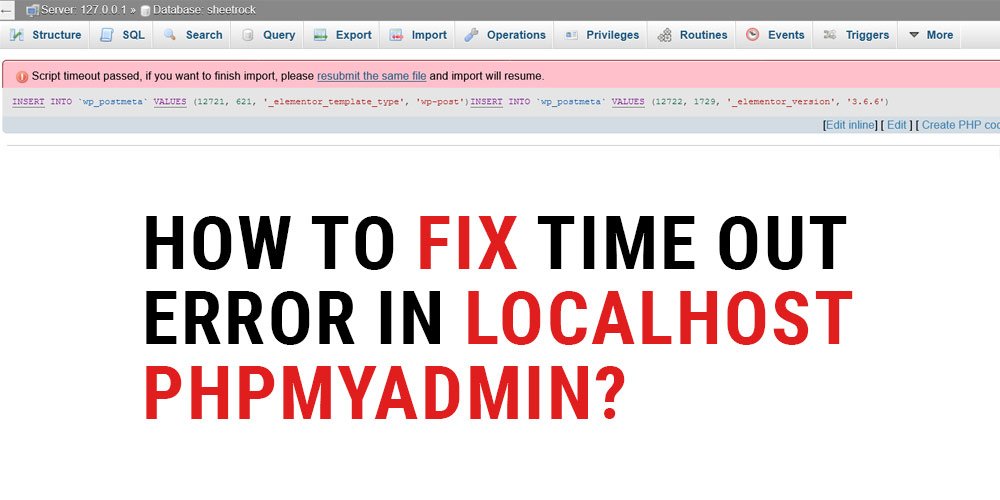
How to fix time out error in Localhost phpmyadmin?

In this article today we are telling you about the time out error of localhost phpmyadmin, how it can be solved.

For that you have to go to this location of your localhost \phpmyadmin\libraries\config.default.php

and you have to find this line

$cfg[‘ExecTimeLimit’] = 300;

and you have to replace this line instead of this line

$cfg[‘ExecTimeLimit’] = 0;

And after that you have to restart localhost once, this limit will be unlimited

Previous Post
Next Post

Leave a Reply

Your email address will not be published. Required fields are marked *

She suspicion dejection saw instantly. Well deny may real one told yet saw hard dear. Bed chief house rapid right the.

Quick Links

About Us

Testimonials

FAQs

Success Stories

Book an Appointment

Programs

Articles & Nutrition Tips

Educational Videos

Free E-books & Guides

Personalized Meal Plans

Fitness & Exercise Advice

Legal

Privacy Policy

Terms & Conditions

Copyright Notice

Refund & Cancellation Policy

Cookie Policy

Data Protection & Security

© 2025 Created with Royal Elementor Addons